

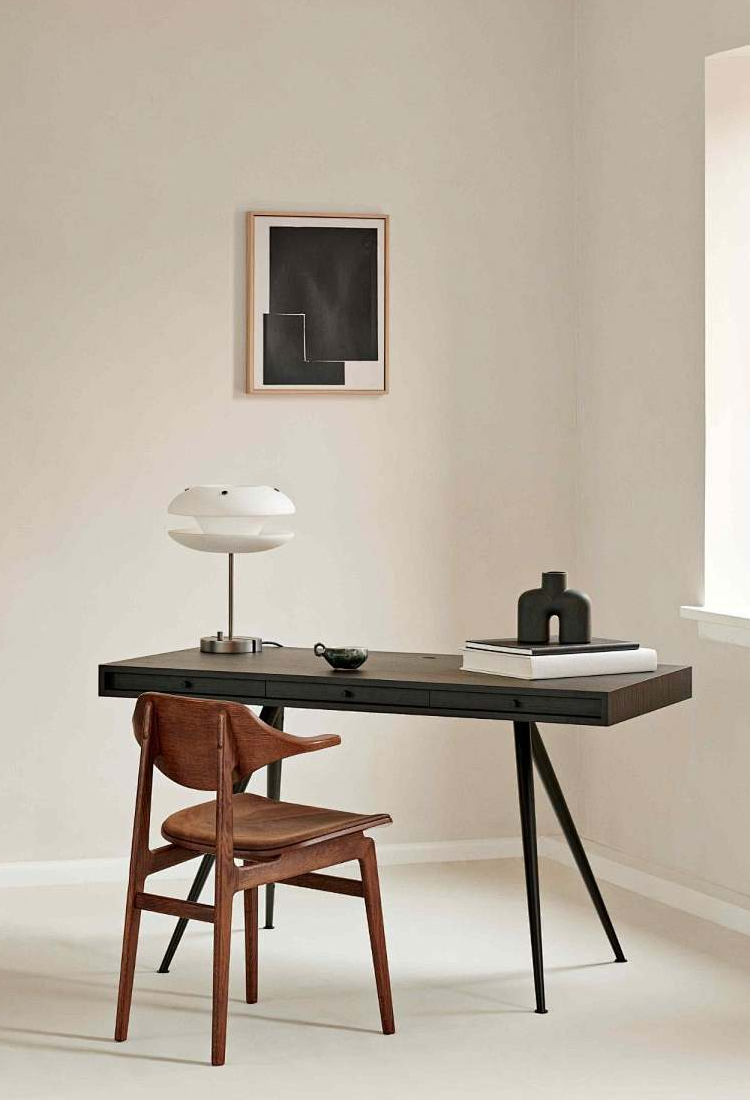
Office Desk Weight Capacity: Will the Edge Hold a Monitor Arm?
By Desk One Team | Published: 20 September 2026
A published desk weight capacity describes load spread across the whole desktop, not load at one spot, so DeskOne's 35kg, 80kg, 100kg and 120kg figures tell you what the desk will carry overall and say nothing about whether the rear edge will take a monitor arm, which clamps to a few centimetres of edge and adds a bending moment on top of its own weight.
"Will this desk hold a monitor arm?" and "how much weight does this desk hold?" look like the same question. They are not, and confusing them is the single most common way an office desk gets damaged in the first week. A capacity figure is about the desk as a structure carrying a spread load. A monitor arm is a concentrated point load with leverage. This guide explains how to read a capacity number properly, shows the real spread across the DeskOne desk range, and gives you a checklist for the things you actually need to check before ordering an arm.
Key takeaways
- Published top load capacity assumes weight distributed across the desktop. It is not an edge rating, and no desk capacity figure answers the monitor-arm question on its own.
- DeskOne's published desk capacities run from 35kg (LiteEdge $159, Digger's Den compact $150) to 120kg (X-Series dual motor sit-stand $561 and X-Series dual motor triple stage $546).
- On a sit-stand desk, the capacity figure is a statement about what the lifting mechanism raises — the single motor frame is rated 80kg, the L-shaped dual motor frame 100kg — not a statement about the desktop's edge.
- A monitor arm cares about three things a capacity number never mentions: the thickness of the top at the clamp point, whether anything behind the edge blocks the jaws, and whether the arm itself is rated for the screens you are hanging on it.
- DeskOne does not publish desktop edge thickness or edge-load figures on desk pages. Check the product page or ask the team rather than guessing — change-of-mind returns run within 7 days with a 30% restocking fee and customer-paid freight.
What a published weight capacity actually measures
When a desk page states a top load capacity, it is describing the desk working the way desks are designed to work: weight sitting on the surface, reasonably spread, transferred down through the top into the frame and legs. Monitors near the centre, a printer to one side, files, a laptop dock. Under that pattern the load is shared by the whole structure, and the number is a sensible ceiling for the total.
A monitor arm breaks every assumption in that sentence. The clamp grips a short run of the rear edge, so the force is concentrated into a small patch of material instead of spread over a square metre or more. Worse, the arm holds screens out in front of that clamp, which turns the assembly into a lever: the further the screens sit from the edge, and the heavier they are, the larger the twisting force trying to lift the clamp and crush the board beneath it. The frame is rarely the weak link. The edge of the desktop is.
That is why the two questions cannot share one answer. A 100kg desk is genuinely a 100kg desk under a spread load and can still be the wrong place to bolt a heavy two-screen arm — and a 35kg compact desk may be perfectly fine with a light single arm if the edge is sound and the clamp fits. If a multi-screen setup is the goal, our guide to choosing a desk for a dual or multi-monitor setup covers the width and depth side of the same decision.
The real capacity spread across the DeskOne desk range
These are the figures as published on our product pages. We have not rounded them or averaged them into a single marketing claim, because the spread is the useful part.
| Desk | Price (AUD) | Published top load capacity |
|---|---|---|
| X-Series dual motor sit-stand | $561 | 120kg |
| X-Series dual motor triple stage | $546 | 120kg |
| A003 L-shaped executive corner desk | $572 | 100kg |
| A008 L-shaped executive corner desk | $759 | 100kg |
| L-shaped dual motor desk frame (frame only, cold rolled steel) | $514 | 100kg |
| Single motor desk frame (frame only, Q235 steel) | $364 | 80kg |
| Mobile standing desk | $566 | 50kg |
| Electric overbed desk (currently out of stock) | $289 | 40kg |
| LiteEdge desk | $159 | 35kg |
| Digger's Den compact desk | $150 | 35kg |
Two honest gaps belong next to that table. Our C-Series, S-Series and U-Series sit-stand desks ($418 to $516) show a "Weight Capacity" field on their pages without a number in it, so there is no figure for us to quote you here. And the capacity data on the S901 and S902 flagship 2400mm L-shaped executive corner desks ($1319 each, with a combination lock version on the S902) is under review, so we are not publishing a number for those two in this article either. Several other items — the boardroom table at $1119, the front reception desk at $574, the $79 compact office desk with storage and the $79 mobile filing pedestal — carry no published load capacity at all. In every one of those cases, ask us rather than assume, and we will tell you what we actually know about that specific model.
Why sit-stand desks state capacity for the mechanism
On an electric sit-stand desk, the capacity figure is doing a different job again. It describes what the columns and motors are rated to raise and lower. That is the number the frame is engineered around, and it is why frame-only products publish it so prominently: the single motor frame in Q235 steel is rated at 80kg, and the L-shaped dual motor frame in cold rolled steel at 100kg. If you are pairing a frame with your own top, that rating governs the moving assembly, while the top you bolt on governs what a clamp can bite into. Our comparison of buying a frame only versus a complete desk walks through that split in more detail.
There is a second reason to think about placement rather than totals on a lifting desk. A heavy arm bolted to one back corner is not shared evenly by both columns — the column nearest it does more work, and the load is furthest from the desk's centre of mass through the whole travel. Staying well inside the rated figure and keeping heavy accessories closer to the centre line is simply better practice than treating the rated number as a target.
What a monitor arm actually needs from a desktop
Set the desk capacity aside entirely and check these instead.
- Edge thickness at the mount point. Every clamp has a jaw range. Tops are not always one uniform thickness across their span, so measure at the exact spot the arm will sit, not at the corner.
- Clear access behind the edge. A clamp needs room to reach under the top. A crossbar, a cable tray, a modesty panel, a drawer box or a pedestal pushed hard against the back can all leave you with nowhere to close the jaws.
- The corner join on L-shaped desks. On a corner desk, the spot you instinctively want the arm is often exactly where the two tops meet or where the return begins. Measure the usable straight run on each wing before ordering. Our corner and L-shaped desk range shows the shapes involved.
- Through-desk versus edge clamp. If the top has a suitable cable grommet, a through-desk bolt spreads the load into the face of the board rather than pinching the edge. Check the product images or ask us whether a given model has a grommet you can use, and whether a spreader plate or large washer underneath is sensible for that top.
- The arm's own rating. The arm manufacturer publishes a per-screen weight range and a total. That figure, not the desk's, is what tells you whether your screens will hold position. Add the arm's own mass to your thinking as well — it is dead load on the same edge.
- What the top is made of. Board and steel behave very differently under a concentrated clamp. Our guide to desk materials, E0 board and steel frames explains what each construction is good at.
To be plain about the limits of what we publish: DeskOne desk pages do not state an edge-load rating or a clamp-compatible thickness range. We are not going to estimate one for you in a blog post. If you tell us the model and the arm you are considering, we can check the product detail or the stock we hold and answer specifically.
A practical checklist before you order the arm
- Write down the desk model you own or are buying, and the arm's published clamp thickness range and weight rating.
- Measure your top's thickness at the intended mount point and note anything within roughly a hand's width behind the edge.
- Total the screens plus the arm and compare against the arm's rating, then sanity-check that total against the desk's published capacity as well.
- Decide clamp or grommet before you buy — many arms ship with both options, but only if you order the version that includes them.
- If you are unsure, ask before ordering. Faulty or quality issues get a full refund within 5 days, but a change of mind is a 7-day return with a 30% restocking fee and freight at your cost, so a five-minute question is cheaper than a wrong arm.
- If you are in Brisbane, come and look. Our Willawong showroom (Unit A4-142 Sherbrooke Rd, Willawong QLD 4110, 07 3879 0357 or 0466 787 593) lets you put a tape measure on a real edge, and local pickup is available. Our Sydney warehouse is at Unit 2, 11 Newton Rd, Wetherill Park NSW 2164 (02 9823 9703 or 0483 750 498).
Stock is held locally in Australia rather than drop-shipped, so when we say we will check a top for you, someone can physically go and look at it. Orders take 3 to 7 business days to process and dispatch.
Does a 100kg desk capacity mean the edge will hold a monitor arm?
No. A 100kg figure, as published on the A003, A008 and the L-shaped dual motor frame, describes weight spread across the desktop. A monitor arm concentrates its load into a small patch of the rear edge and adds a lever effect from the screens held out in front of it. You need the top's thickness at the mount point, clear access behind the edge and the arm's own weight rating to answer the arm question.
Which DeskOne desks have the highest published weight capacity?
The X-Series dual motor sit-stand at $561 and the X-Series dual motor triple stage at $546 both publish 120kg. The A003 at $572, the A008 at $759 and the L-shaped dual motor desk frame at $514 publish 100kg, and the single motor desk frame at $364 publishes 80kg. The lightest published figures are 35kg on the LiteEdge at $159 and the Digger's Den compact desk at $150.
Why do some DeskOne desk pages not show a capacity number?
A few different reasons. Our C-Series, S-Series and U-Series sit-stand desks ($418 to $516) display a "Weight Capacity" field with no value entered. The S901 and S902 flagship 2400mm corner desks at $1319 have capacity data that is currently under review, so we are not quoting it. Items like the $1119 boardroom table, the $574 front reception desk, the $79 compact office desk with storage and the $79 mobile filing pedestal have no published capacity at all — contact us for the specific model.
Does DeskOne publish the desktop thickness for monitor arm clamps?
Not currently. Our desk pages do not list an edge thickness range or an edge-load rating, and we would rather say so than publish an estimate you might rely on. Send us the desk model and the arm you are looking at, and we will check the product detail or the stock in the warehouse and give you a straight answer.
Is it safe to put a monitor arm on an electric sit-stand desk?
Monitor arms are used on sit-stand desks all the time, but the capacity figure on a sit-stand page describes what the lifting mechanism raises, not what the edge tolerates. Keep the total well inside the rated figure — 80kg on the single motor frame, 100kg on the L-shaped dual motor frame, 120kg on the X-Series — and mount heavy accessories closer to the centre line rather than out at one back corner. Ask us before mounting anything substantial on a specific model.
Can I check a desk edge in person before buying a monitor arm?
Yes, in Brisbane. Our Willawong showroom at Unit A4-142 Sherbrooke Rd, Willawong QLD 4110 is open to visitors and offers local pickup, so you can measure a real desktop edge and test clamp access yourself. Sydney customers can reach our Wetherill Park warehouse at Unit 2, 11 Newton Rd, Wetherill Park NSW 2164 on 02 9823 9703, or call Brisbane on 07 3879 0357.


