

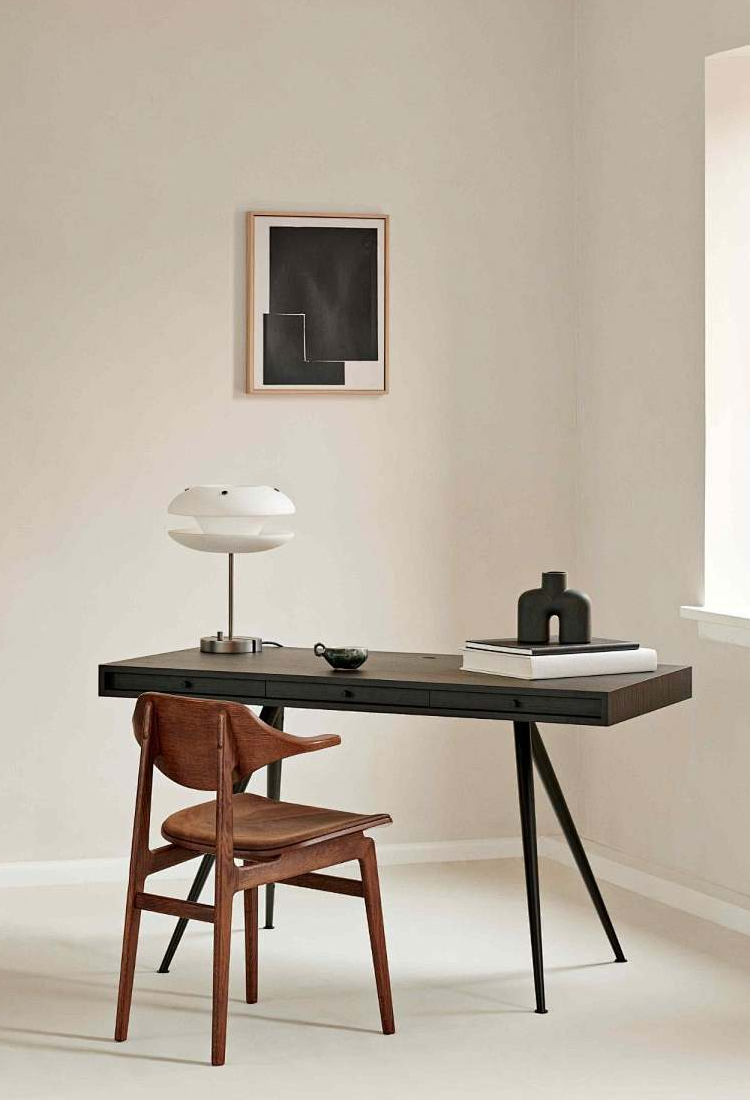
How to Create a Productive Home Office with Stand Desks in 2026?
Let us confront a brutal physiological and economic reality: sitting slouched over a dining room table for eight hours a day is an act of professional self-sabotage. You cannot expect elite cognitive output from a compromised physical environment. The human spine was not engineered to bear the compressive load of perpetual sitting, and your cardiovascular system requires movement to maintain the oxygen flow necessary for deep, focused work. If you intend to operate at the highest level remotely, engineering a Productive Home Office with Stand Desks is not a luxury upgrade—it is a mandatory baseline for sustainable success.

From our experience consulting with remote professionals and engineering ergonomic furniture at Desk One, we witness the same systemic failures repeatedly. Amateurs treat their workspace as an afterthought, purchasing cheap, wobbly furniture that frustrates their workflow and degrades their posture. We recommend a radically different approach. You must view your office architecture as a high-performance machine. Constructing a Productive Home Office with Stand Desks requires deliberate spatial planning, an understanding of mechanical engineering, and strict adherence to ergonomic principles.
In this uncompromising guide, we will dissect exactly how to build a Productive Home Office with Stand Desks that forces focus, eliminates physical fatigue, and maximizes your daily operational output. We will ignore the fleeting trends and focus purely on biomechanics, spatial efficiency, and heavy-duty steel hardware.
Table of Contents
- 1. The Physiology of Productivity: Why Static Desks Fail
- 2. Spatial Planning and Room Orientation
- 3. Engineering Superiority: Selecting the Right Frame
- 4. The Ultimate Configuration: Desk One L-Shaped Corner Desk
- 5. Building the Complete Ergonomic Ecosystem
- 6. Summary Matrix: The Productive Home Office Breakdown
- 7. Frequently Asked Questions (FAQs)
- 8. Authoritative Ergonomic References
1. The Physiology of Productivity: Why Static Desks Fail
The foundation of a Productive Home Office with Stand Desks begins with understanding human biology. When you sit statically for prolonged periods, your hip flexors shorten, your lumbar discs compress, and your metabolic rate plummets. This physical stagnation translates directly into cognitive lethargy. By transitioning to a sit-stand workflow, you activate the muscular pump in your legs, dramatically increasing venous return to the heart and brain.
However, forcing yourself to stand for eight uninterrupted hours is equally destructive, leading to plantar fasciitis and lower back fatigue. The true secret to a Productive Home Office with Stand Desks is constant, frictionless alternation. You must be able to shift from seated deep-focus work to standing collaborative meetings in seconds, without breaking your concentration. This is why manual crank desks are a universally terrible investment; the physical annoyance of cranking prevents you from actually changing postures. If you are serious about output, you require motorized, pre-programmed height adjustments.
2. Spatial Planning and Room Orientation
Before installing a single piece of hardware, you must master spatial dynamics. A Productive Home Office with Stand Desks cannot be shoved into a dark corner facing a blank wall. Facing a wall induces claustrophobia and causes severe eye strain, as your ciliary muscles never have the opportunity to focus on distant objects. We recommend placing your desk perpendicular to a window, providing access to natural ambient light while avoiding direct screen glare.
When selecting the physical footprint of your workspace, consider your operational requirements. If you operate multiple monitors, a laptop, and require physical space for reviewing documents, a standard rectangular desk will inevitably feel cramped. This is where corner configurations dominate. Even if you are working within a strict budget and reviewing affordable sit stand desks, prioritizing maximum desktop square footage is non-negotiable for a Productive Home Office with Stand Desks.
3. Engineering Superiority: Selecting the Right Frame
Not all adjustable desks are created equal. The market is flooded with single-motor, aluminum-frame consumer toys that shake violently when raised above 1000mm. A Productive Home Office with Stand Desks demands industrial-grade stability. If your monitor wobbles every time you type an email, your focus will fracture.
From our experience, you must demand cold-rolled steel frames and dual-motor architecture. A single motor has to push power through a transmission rod to the opposite leg, causing uneven lifting, grinding gears, and inevitable mechanical failure. A true dual motor standing desk places an independent, synchronized motor in each leg column. This provides flawless, silent vertical travel regardless of the weight distribution on the tabletop. For professionals analyzing the broader market, we strongly suggest cross-referencing specifications against a comprehensive electric standing desk guide before making a procurement decision.
4. The Ultimate Configuration: Desk One L-Shaped Corner Desk
If you want to construct the absolute apex of a Productive Home Office with Stand Desks, the equipment must serve your workflow flawlessly. At Desk One, we engineered the L-Shaped Corner Standing Desk specifically for professionals who refuse to compromise on space or stability.
Desk One L-Shaped Corner Standing Desk - Dual Motor
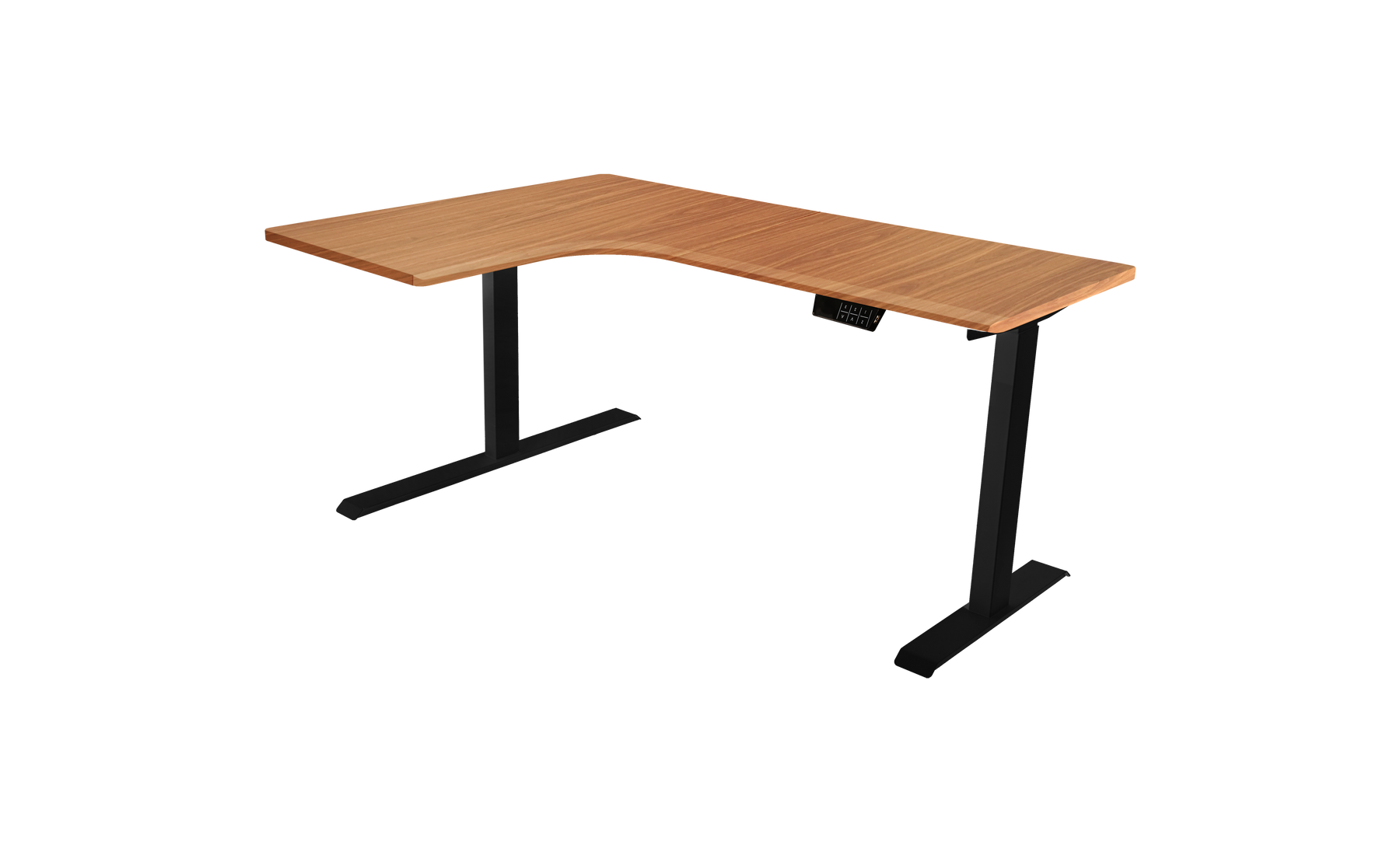
This unit is the architectural backbone of a Productive Home Office with Stand Desks. It is built to support aggressive daily use, featuring a rotatable tabletop configuration that adapts to left or right-corner room layouts.
- Height Range: 700mm to 1200mm (27.6" to 47.2") – Ensuring ergonomic compliance for users of all statures.
- Width Range (Frame): 1250mm to 1550mm (49.2" to 61") – Massive structural stance for anti-wobble rigidity.
- Tabletop Dimensions: 1400×1100×25mm or 1600×1150×25mm – Providing unparalleled surface area for multi-monitor arrays.
- Lift Capacity & Speed: A massive 100kg (220lbs) capacity moving at a brisk 35mm/s.
- Acoustic Profile: Whisper-quiet operation at under 50dB, ensuring zero disruption during conference calls.
- Materials: A heavy-duty Cold-Rolled Steel frame supporting an E0-Grade High-Density Particleboard tabletop (zero toxic off-gassing).
- Power Requirements: Universal AC 110V–220V input, generating a safe DC 24V output to the motors.
By integrating a system of this caliber, your Productive Home Office with Stand Desks transcends basic furniture; it becomes a responsive tool. If you require a more traditional rectangular format, the Ergo Flex V3 standing desk provides identical dual-motor supremacy in a streamlined footprint, heavily featured in our standing desks Australia guide.
5. Building the Complete Ergonomic Ecosystem
Procuring the desk is only the first phase. A Productive Home Office with Stand Desks is an entire ecosystem. You must dial in the peripheral variables.
The Seating Protocol: Your chair must perfectly complement your desk. When you transition back to a seated position, your feet must remain flat on the floor, with your knees at a 90-degree angle. We highly advise consulting an office chair size guide to ensure your lumbar support aligns properly. If your desk height does not match your seating height, you will develop chronic shoulder pain. Reviewing an ideal desk height guide is mandatory for setting your motorized memory presets.
Clutter Mitigation: A chaotic desk destroys cognitive bandwidth. You must ruthlessly eliminate visual clutter. Implementing under-desk cable management trays and utilizing standing desks with drawers allows you to hide external hard drives, notebooks, and charging cables. A clean surface forces a clean mind.
Incremental Upgrades: If you are locked into fixed, built-in cabinetry and cannot install a full-frame motorized unit, you do not have to abandon the concept. High-quality adjustable desktop risers can transform a static counter into a functioning sit-stand hybrid. While they lack the massive surface area of a full desk, they provide the essential physiological benefits required to maintain a Productive Home Office with Stand Desks.
6. Summary Matrix: The Productive Home Office Breakdown
To assist in your immediate implementation, we have synthesized the core components of a Productive Home Office with Stand Desks into an uncompromising reference matrix.
| Ecosystem Component | Uncompromising Standard | Reasoning / Consequence of Failure |
|---|---|---|
| Desk Frame Architecture | Dual-Motor, Cold-Rolled Steel | Single motors burn out and wobble. Steel provides absolute lateral stability. |
| Tabletop Material | E0-Grade High-Density Particleboard | Prevents toxic formaldehyde off-gassing in enclosed home office spaces. |
| Spatial Configuration | L-Shaped or Extended Rectangular (1400mm+) | Cramped desks cause workflow bottlenecks and peripheral clutter. |
| Acoustic Profile | Under 50dB Motor Operation | Loud, grinding motors disrupt focus and audio during virtual meetings. |
| Ergonomic Calibration | Programmable Memory Presets | Frictionless transition is required; manual adjustment halts productivity. |
7. Frequently Asked Questions (FAQs)
How long should I stand each day in a Productive Home Office with Stand Desks?
From our experience, the optimal ratio is highly dynamic, but the "20-8-2" rule is widely respected among ergonomists: sit for 20 minutes, stand for 8 minutes, and move/stretch for 2 minutes every half hour. Attempting to stand for four consecutive hours will cause blood pooling in your lower extremities and severe joint fatigue. The goal of a Productive Home Office with Stand Desks is constant, fluid transition, not a new form of static rigidity.
Are dual-motor desks really necessary, or is it just marketing?
It is absolutely necessary for long-term reliability. A single motor relies on a hexagonal transmission rod that spans the length of the desk to drive the opposite leg. Over time, the torque twists the rod, causing the legs to rise at slightly different speeds, which jams the lifting columns. A dual-motor system places an independent, synchronized drive in each leg, ensuring a perfectly level, high-capacity lift (up to 100kg on our Desk One models) without mechanical strain.
How do I manage the power cables when the desk moves up and down?
Cable management is vital for a Productive Home Office with Stand Desks. You must mount a heavy-duty surge protector directly to the underside of the desk surface. Plug all your monitors, chargers, and the desk motor itself into this mounted power strip. Then, you only have one single power cable running from the desk to the wall outlet. This ensures your computer cables never stretch or disconnect when you raise the desk to a standing position.
8. Authoritative Ergonomic References
To ensure your workspace layout complies with rigorous international health and productivity standards, we strongly advise consulting the following verified ergonomic resources:
- Occupational Safety and Health Administration (OSHA) - Ergonomics: The definitive federal guidelines outlining proper musculoskeletal alignment, repetitive stress mitigation, and workstation optimization.
- Cornell University Human Factors and Ergonomics Research Group (CUErgo): Peer-reviewed academic research detailing the measurable physiological and cognitive benefits of sit-stand workflows and optimal biomechanical posturing.


